

Analytics and advertising integrations for PrestaShop and thirty bees
SEIGI TagManager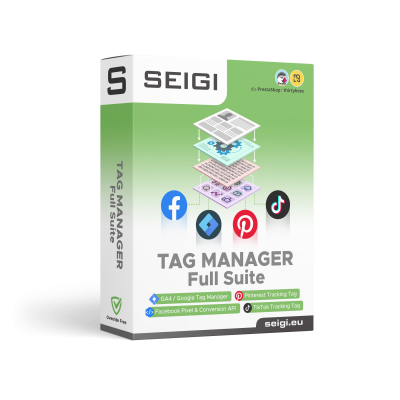
SEIGI Tag Manager Full Suite is a shared analytics and advertising integration system for PrestaShop and thirty bees stores. Instead of deploying a separate solution for every channel, you get one module that organizes configuration and data delivery to tools such as Google Analytics 4, Google Tag Manager, Meta Pixel, TikTok Pixel, Pinterest and Hotjar.
The module prepares data for key e-commerce events, including product and category views, searches, add-to-cart actions, checkout starts and purchases. Depending on the selected integration, it can pass transaction values, product data and campaign identifiers, and support browser-side, server-side or API-based reporting.
You enable only the integrations your store actually uses. A shared engine reduces the number of independent implementations, makes tags easier to maintain and lets you expand analytics without repeatedly editing the store theme. For services that require consent, the module can work with SEIGI Cookie & Consent so scripts follow the consent configuration selected for the store.
The Full Suite license provides access to the integration package shown on the product page and to further extensions released within this product line under the applicable license terms. You can start with core sales measurement and add more advertising or analytics channels later without replacing the main system.
Wszystkie changelogi do modułów można znaleźć w naszej dokumentacji.
Aby pobrać moduł, zaloguj się na swoje konto SEIGI lub utwórz bezpłatne konto.
Uwaga: pobranie darmowego modułu nie obejmuje indywidualnego wsparcia technicznego. Pomoc w instalacji i konfiguracji dostępna jest w dokumentacji.

Choose the module version for Prestashop or thirtybees

Technical support: 1 year
Free access to updates
Technical support: 2 years
Free access to updates
Technical support: 3 years
Free access to updates
Technical support: 3 years
Free access to updates
Wypróbuj moduł przez 14 dni
Aktywacja nie wymaga rejestracji ani żadnych opłat. Sprawdź moduł przed zakupem.
Zobacz moduł w działaniu
Przygotowaliśmy przykładowy sklep, dzięki któremu szybko sprawdzisz najważniejsze funkcje modułu.
Module development in numbers
One data layer for analytics, advertising and optimization
SEIGI Tag Manager connects store data with selected analytics and advertising tools. A shared engine handles e-commerce events, while you decide which integrations should run in your store.
Automatic e-commerce events
The module prepares information about the most important stages of the purchase journey, so you do not have to build the basic tracking logic separately for every tool.
- product and category views;
- searches and add-to-cart actions;
- cart views and checkout starts;
- purchases with transaction identifiers and values.
Google Analytics 4 and Measurement Protocol
The direct GA4 integration sends events and e-commerce values used to analyze traffic, sales sources and customer behavior. Depending on the configuration, you can also use Measurement Protocol, server-side reporting and data for enhanced conversions.
Google Tag Manager with a populated data layer
The GTM integration feeds the dataLayer with information about products, categories, carts, checkout and transactions. The store supplies the data, while you configure rules, tags and the container according to your own measurement design.
A shared data model for multiple integrations
Individual modules in the suite use a common technical system. You do not install a separate engine for every pixel, and you enable only the channels your store actually uses.
- fewer independent implementations to maintain;
- one place for service identifiers and settings;
- easier expansion with additional channels;
- less risk of inconsistencies caused by manually copying tracking code.
Measure campaigns in Meta, TikTok, Pinterest and additional systems
Full Suite lets you expand measurement beyond core analytics. Depending on the channel, you can report browser events, send events through an API or enable tools for analyzing how users interact with the store.
Meta Pixel and Conversions API
The Meta integration supports purchase events used in Facebook and Instagram campaigns. It can combine browser reporting with API-based event delivery, while matching and deduplication mechanisms help organize the data sent to Events Manager.
TikTok Pixel and offline reporting
The module can report events such as product views, add-to-cart actions and checkout starts. Support for user matching, deduplication and API-delivered events helps measure campaigns when browser-only tracking does not provide a complete picture.
Pinterest Pixel for the purchase journey
The Pinterest integration can report page visits, category views, searches, add-to-cart actions and completed transactions. This makes it easier to connect Promoted Pin campaign results with customer activity in the store.
Hotjar without editing theme files
Add the Hotjar tracking code through the module configuration and use heatmaps, session recordings, surveys and feedback forms. The integration can include a user identifier and work with the store's consent mechanism.
Affiliate, comparison and industry-specific integrations
The suite also includes integrations for measuring orders and conversions from external partners, including WebePartner and WPHPixel for Domodi and Homebook. The catalog continues to grow, so the automatic list at the beginning of this description always shows the current scope of the package.
Enable only what your store needs
SEIGI Tag Manager organizes the technical side of integrations while leaving you in control of tool selection, service identifiers, reporting methods and consent settings.
Configuration from the store back office
Enter service identifiers and configure selected integrations without manually pasting basic scripts into multiple theme files. Advanced variants can still be adapted to your own analytics model.
Architecture without the Override system
The module does not use PrestaShop's Override mechanism. This limits changes to core classes, makes the solution easier to uninstall and reduces the number of typical conflicts with other extensions.
Integration with the consent mechanism
Services that require cookies or marketing consent can work with SEIGI Cookie & Consent. This lets you connect service activation with the consent configuration selected for the store and reduces the need to control every script manually.
Full Suite or a single integration
Choose the complete package when you want to develop several channels within one system. When you need only one specific tool, individual integrations are also available separately.
Choose GA4 or GTM for your workflow
The direct GA4 integration is designed for stores that want to launch standard e-commerce reporting more quickly. GTM gives specialists and agencies more freedom, but requires them to prepare the container, tags and rules themselves.
- GA4: a faster start with ready event handling;
- GTM: a custom measurement architecture based on the dataLayer;
- both paths use data generated by the store;
- the same reporting should not be duplicated without a deliberate design.
Dlaczego warto wybrać nasze moduły do PrestaShop i thirty bees?
Tworzymy stabilne, wydajne i regularnie rozwijane rozwiązania, zapewniając wsparcie przez cały okres trwania licencji.
Over 18 years of programming experience
Nasza firma działa na rynku nieprzerwanie od 16 lat. Tworzymy rozwiązania oparte na wieloletnim doświadczeniu i realnych potrzebach sklepów internetowych.
Pomoc techniczna przez cały okres licencji
Wsparcie nie kończy się po miesiącu ani po trzech miesiącach. Pomagamy przez cały okres trwania aktywnej licencji, bez dodatkowych opłat.
Free access to updates
Nie pobieramy osobnych opłat za dostęp do nowych wersji. W okresie aktywnej licencji otrzymujesz aktualizacje modułu bez dodatkowych kosztów.
Moduły projektowane z myślą o szybkości
Dbamy o wydajne działanie modułów również w rozbudowanych sklepach. Regularnie rozwijamy nasze rozwiązania i wykorzystujemy opinie klientów do dalszej optymalizacji.
Proste i bezproblemowe zwroty
Jesteśmy pewni jakości naszego oprogramowania. Jeśli jednak moduł nie spełni Twoich oczekiwań, skontaktuj się z nami — procedura zwrotu jest jasna i bez zbędnych komplikacji.
Want to test or know more?
Payments handled by:
